

How To Fix Error: 0xC004C008

Occaionally this error can appear, especially if you are NOT doing a clean install.

If you don’t want to do a clean installation, then please follow this tutorial to license your Windows.

If error 0xC004C008 shows up, then please proceed with Phone Activation process (don’t worry it’s easy and only takes a few minutes):

  1. Type "SLUI.exe 04" in Windows Taskbar and press ENTER.
  2. Select your Country and then click next.
  3. You will see your Installation ID.
  4. Call the Toll Free number (automated) and they will provide you your Confirmation ID to Activate Windows.
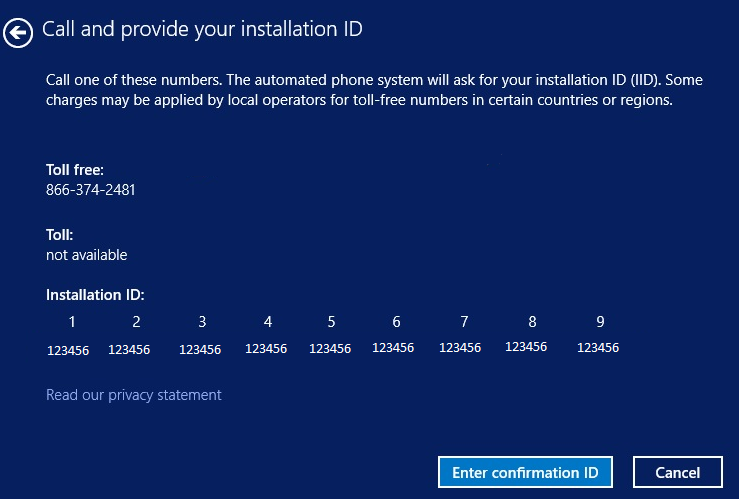

Windows will now be Activated (lifetime) with your own unique key 🙂

If you need any further help then please email me: email@pcguy.online

OR

WhatsApp Message

07356220209

PC Guy - Mark

Hi, welcome to the site! Please click below button to text chat via WhatsApp.